Dashboard – Documents
The Documents Dashboard provides a centralized view of all cases and requests related to document filings within the system.
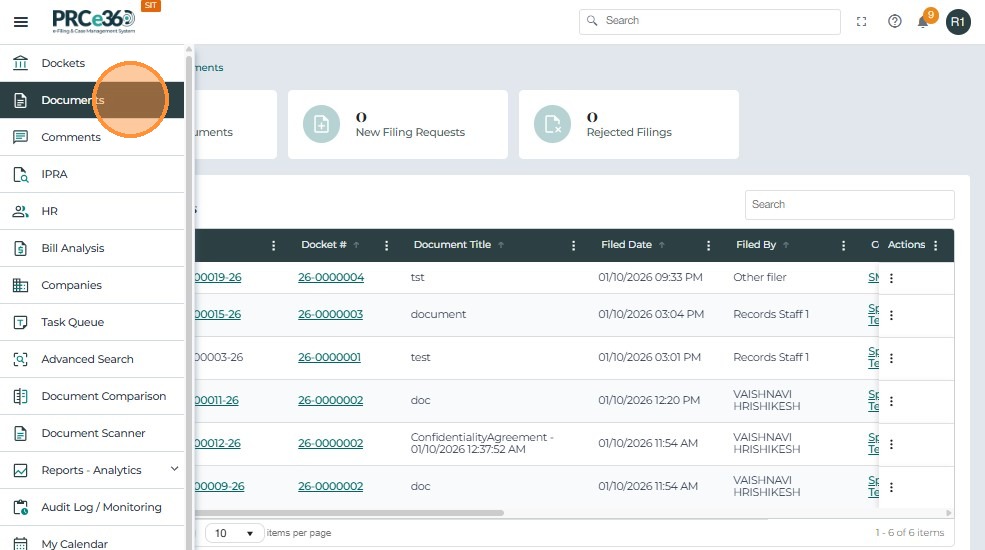
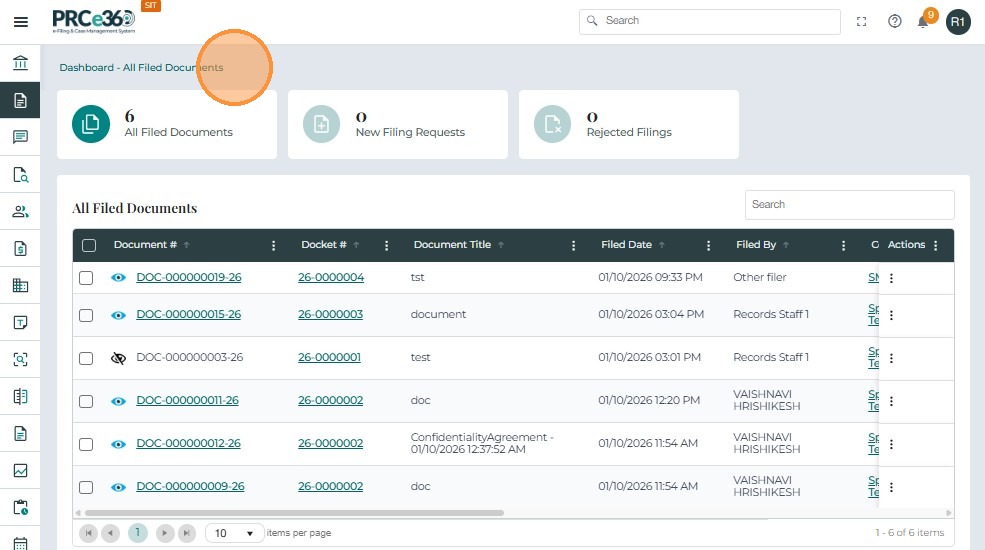
The dashboard contains the following queues:
| Queue / Function | Eligible Divisions | Functionality |
|---|---|---|
| All Filed Documents | All divisions | Displays all filed documents that are public and accessible. |
| New Filing Requests | Records Division only | Lists all document filings pending review. |
| Rejected Filings | Records Division only | Lists all filings that have been rejected. |
All Filed Documents
This queue is visible to all divisions and lists every document filed in the system.
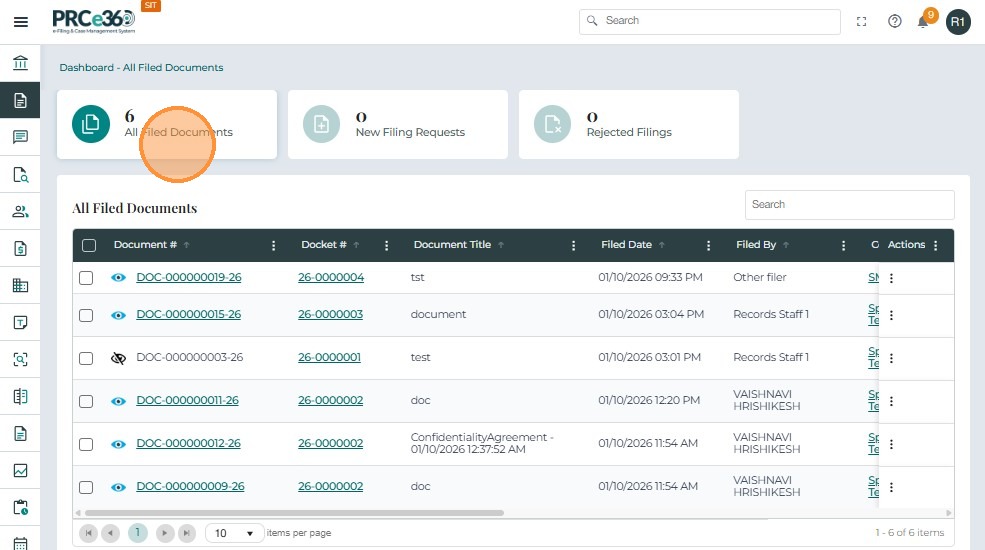
Grid Columns
- Document # – A unique identifier assigned to each filed document.
- Docket # – The case docket number linked to the document.
- Document Title – The name or brief description of the document.
- Filed Date – The date and time the document was filed in the system.
- Filed By – The name or role of the user who submitted the document.
- Company / Parties – The organization(s) associated with the filing.
- Document Type – The type or category of document uploaded.
- Document Description – A short summary or note describing the document.
- Confidential – Indicates whether the document is confidential.
- Linked – Shows if the document is linked to another record or document.
New Filing Requests
This queue is visible only to the Records Division, as they are responsible for reviewing and approving or rejecting filings.
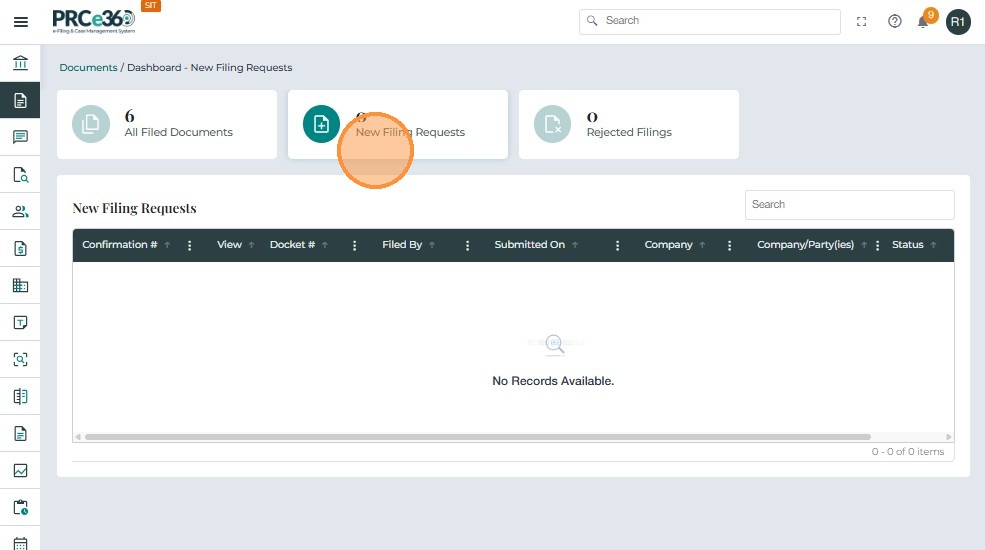
Grid Columns
- Confirmation # – A unique confirmation number generated for the filing request.
- Docket # – The case docket linked to the filing.
- Filed By – The person or role who submitted the filing.
- Submitted On – The date and time the filing request was submitted.
- Company / Parties – The organizations or parties associated with the case.
- Status – The current review status (e.g., Pending Records Review).
Rejected Filings
This queue is visible only to the Records Division and lists filings that were rejected during review.
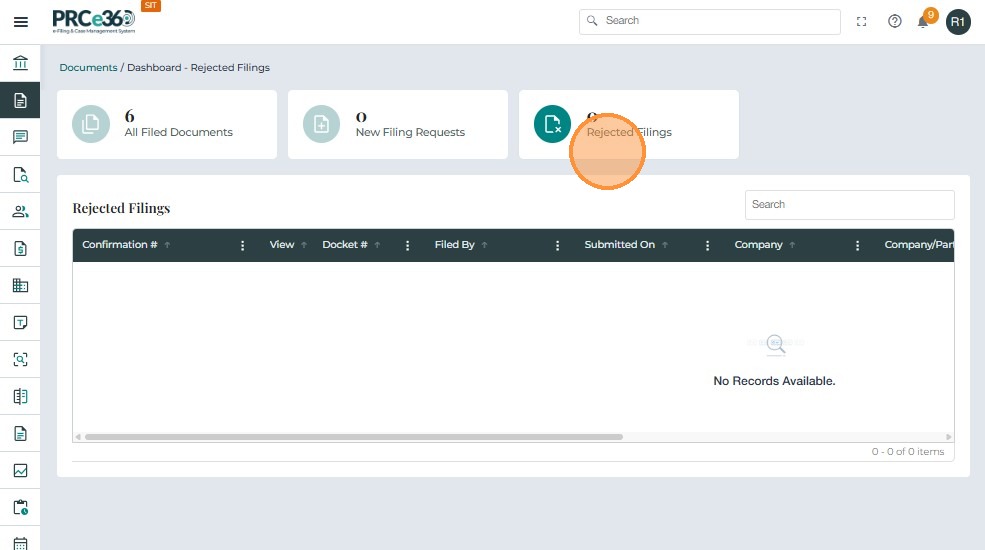
Grid Columns
- Confirmation # – A unique identifier for the rejected filing request.
- Docket # – The case docket linked to the filing.
- Filed By – The user who submitted the request.
- Submitted On – The date and time of submission.
- Company / Parties – The organization(s) involved in the filing.
- Status – Displays the rejection stage or reason.